
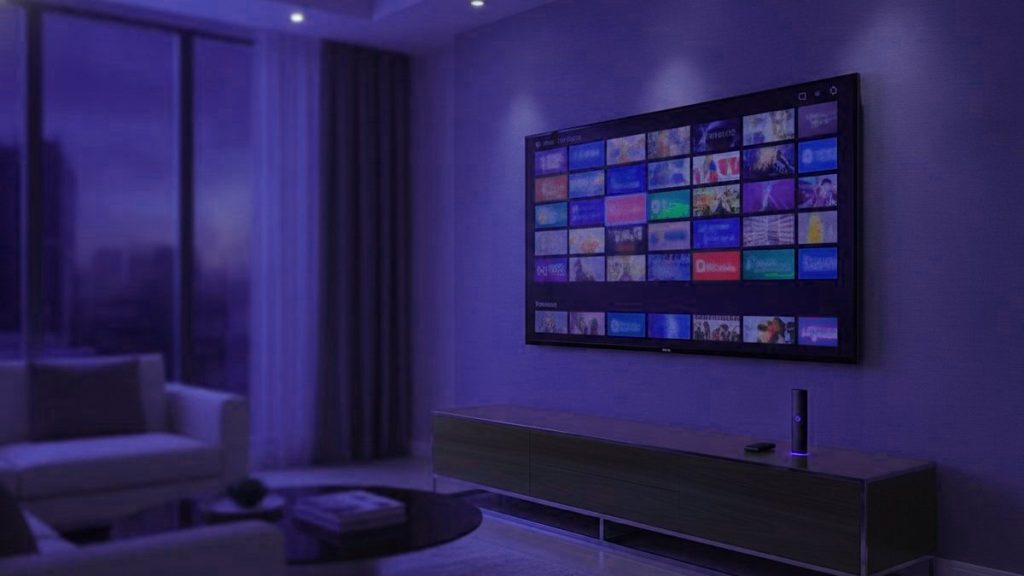
IPTV is television carried over your internet connection instead of a cable, a dish or an aerial. A player app holds a login from a provider and channels arrive as data, the same way a video call does. That is the whole concept. Everything below is the part that decides whether you actually enjoy it.
In one sentence
Broadcast pushes every channel to everyone continuously. IPTV sends one channel to one viewer, on request. Almost everything else about how it behaves follows from that single difference.
What happens when you press a channel
Your player opens a connection to a server, which begins sending that channel and nothing else, cut into numbered chunks a few seconds long. The app collects several before showing anything, keeps collecting while you watch, and plays from that small reserve.
That reserve is the buffer, and understanding it explains nearly every complaint people have. Full buffer, perfect picture. When the connection stumbles or the server is overloaded, the buffer drains faster than it refills, and the instant it empties the picture stops. Buffering is not the channel breaking. It is the player waiting for data that has not turned up.
Why two houses get different results
Two homes on identical broadband can have completely different experiences of the same service, and the broadband is rarely the reason.
- How many people share each server. A provider who undercuts everyone buys thin capacity, and it shows the moment a match kicks off. Your setup has not changed; the queue in front of you has.
- Whether channels have fallback bitrates. A channel offered in 4K, HD and SD gives you somewhere to drop to. One bitrate means it either works or it does not.
- Distance to the server. Data crossing an ocean has more opportunities to be delayed than data crossing a city.
- Your line at nine in the evening, which is not the number printed on your bill.
This is why a weekday-morning test proves nothing. Every provider looks competent with half-empty servers, which is precisely why we tell people to test at the worst possible hour.
It is not the same as Netflix
| Streaming platforms | IPTV | |
|---|---|---|
| What arrives | A library of finished programmes | Live channels on a schedule, plus a library |
| Live sport | Almost none | The main reason people subscribe |
| Breaking news | No | Yes, from many countries at once |
| Programme guide | Not applicable | Yes, a familiar grid |
They solve different problems. A streaming platform replaces a video shop; IPTV replaces a cable package. That is why the people who switch are usually those who were paying for cable mainly to watch sport and news.
What you actually need
A steady connection. Roughly 25 Mbps for 4K and 10 for HD. Consistency beats peak speed, because the buffer cares about the gaps rather than the average. Where Wi-Fi is weak near the television, a cheap Ethernet adapter fixes more complaints than any other single change.
Something to run a player on. A Fire TV Stick, an Android box, a Samsung or LG set from 2016 onward, an Apple TV, a computer, or a MAG or Formuler box. You almost certainly own one already.
A player app. IPTV Smarters Pro or TiViMate for most people. Both are empty shells holding no channels until a subscription is entered, which is the single most common source of first-day confusion.
A subscription. The part that costs money and the part that decides quality. Everything above is commodity hardware and free software.
The vocabulary
An Xtream Codes login is three values: server address, username, password. Most modern players want exactly these and handle the rest themselves. It is the easier route and what we issue by default.
An M3U link is a single long address carrying the same credentials as parameters, suited to players like VLC and Kodi that expect a playlist file. Treat it like a password, because functionally that is what it is.
The EPG is the programme guide. Maintaining it across thousands of channels is dull, continuous work with no marketing value, which is exactly why its presence tells you something about how an operation is run.
Is it legal?
The technology is entirely legal and thoroughly mainstream; your phone company probably uses it. The question that matters is whether a given provider holds distribution rights for what it sells, and in this market that is often unclear from the outside. Our legality page treats that properly rather than waving it away.
Judging a provider
- A free trial, used at peak hours rather than a quiet morning.
- Prices published openly. Having to ask means being priced individually.
- Written refund terms with a stated number of days.
- Support that answers before you pay. It will not improve afterwards.
- A real website. Sellers existing only inside a social media account can vanish, and do.
Ours are on the pricing page and the trial page, and you should apply the same test to us as to anyone else. Once you have a login, the setup guides cover each device, and getting from payment to first channel usually takes under a quarter of an hour.
Frequently asked questions
How does IPTV work in simple terms?
A provider captures TV channels, compresses them into internet-sized video streams and stores them on servers. Your player app logs in with a username, password and server address, asks for a channel, and the server streams it to your device alone. It is the same mechanism as watching a YouTube video, applied to live television.
Is IPTV the same as Netflix or YouTube TV?
Technically they are all television over internet protocol. The difference is that Netflix and YouTube TV are closed services with their own app and licensed catalogue, while an IPTV subscription is an open login that works in any compatible player, with far more live channels. Netflix is never included in an IPTV plan; only titles that also appear on Netflix are.
Do I need a box to use IPTV?
No. Any device that runs a player app works: Amazon Fire TV Stick, Android TV, Samsung and LG smart TVs, Apple TV, iPhone, Android phones, Windows PC and Mac. Dedicated boxes such as Formuler and MAG are optional and mainly offer a nicer remote and guide.
What internet speed does IPTV need?
A steady 8 Mbps handles one HD stream and 25 Mbps handles one 4K stream. For two TVs at once, plan on 30 Mbps. Stability matters more than headline speed, and a wired Ethernet connection to the TV device removes most buffering caused by Wi-Fi.
Why do free IPTV lists stop working?
A free M3U list is one account shared with thousands of people. The server either blocks it or cannot serve them all, so channels die within days and the survivors freeze during popular events. A paid subscription is a private account on servers sized for peak hours, which is what you are paying for.
Is IPTV legal?
The technology is legal everywhere; licensed services such as Hulu, Sling and YouTube TV are IPTV. What matters is whether a provider holds the rights to the channels it carries, which varies. Enforcement in the US targets operators, while some UK and EU viewers have received warnings. Read our legality guide for a country-by-country answer.
Ready to watch 25,000+ channels?
Order on WhatsApp and get your login in under 15 minutes. 7-day money-back guarantee.
Related articles
IPTV Glossary: 28 Terms Explained Before You Buy
Twenty-eight IPTV terms explained in plain English, from M3U links and Xtream Codes logins to EPG, catch-up, bitrate, HEVC and resellers, grouped…
September 19, 2026IPTV vs Cable in 2026: Cost, Channels, Contracts and Reliability
A side-by-side look at IPTV and cable TV for US homes: what each really costs per month, channel counts, picture quality, contracts…
September 19, 2026IPTV vs OTT Streaming: The Real Difference, and Why Homes Keep Both
What actually separates IPTV from OTT streaming: private networks versus the open internet, live channels versus libraries, where subscription IPTV sits between…